Brand Partnerships &
Trademarks
The mission of the Office of Brand Partnerships and Trademark Management is to generate maximum value through its trademark licensing program, corporate sponsorships, and strategic partnerships while strengthening and protecting the reputation and brand of the University of Connecticut.
Brand Partnerships
The Office of Brand Partnerships and Trademark Management identifies and manages third-party relationships in collaboration with University administration, UConn Athletics, UConn Foundation, UConn Health, and other key stakeholders. These partnerships include well-known brand partners such as Barnes & Noble College, The Coca-Cola Company, M&T Bank, and DATTCO, among others.
By leveraging the University’s brand, resources, purchasing power, and market presence, the office works to boost revenue, reduce spending, and support improvements that benefit both the University and its students.
Questions? Please contact the Brand Partnerships Office at partnerships@uconn.edu.
Trademark Licensing
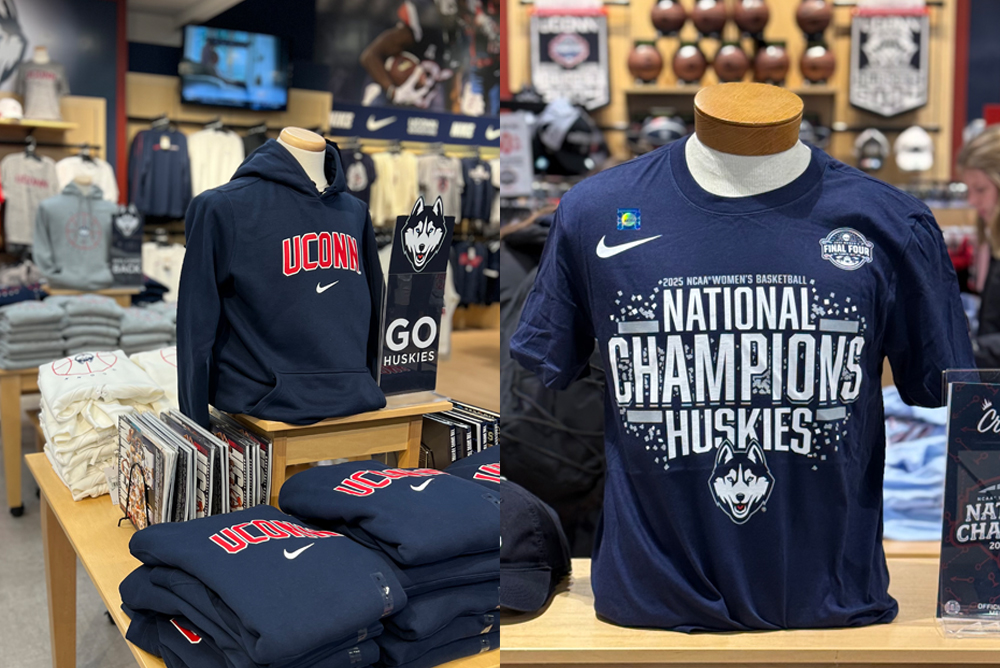
Ensuring that UConn’s trademarks are used properly is a key part of the Office’s responsibilities. This includes strengthening the University’s brand through strategic relationships with retailers, licensees, campus departments, student organizations, alumni, and fans, while also generating revenue to support academic and athletic scholarships.
With a focus on best and emerging practices in strategic marketing, corporate social responsibility, production, and retail, the office educates both the University community and external partners on licensing policies and procedures. It also manages the review and approval of approximately 5,000 annual requests for the use of University names and trademarks by licensees, sponsors, departments, and student organizations.
Trademark Protection
The Office oversees the University’s trademark portfolio, including the preparation and filing of new registrations and the maintenance of all federally registered trademarks and service marks. This work also includes regular audits to ensure all trademarks are properly protected, and enforcement actions are taken when needed to address any issues.
Brand Partnerships and Trademark Management serves as the primary point of contact with the United States Patent and Trademark Office and works closely with the Office of the General Counsel and outside counsel as needed.
If you would like to report potential trademark misuse or unauthorized use of UConn marks, please contact UConn Trademark Management at licensing@uconn.edu.
Corporate Responsibility
Acting on behalf of the President’s Office, the Brand Partnerships and Trademark Management Office serves as the University’s liaison to the Worker Rights Consortium, Fair Labor Association, and other human rights advocacy organizations. Through these partnerships, the office strengthens UConn’s commitment to corporate social responsibility both internally and externally. This includes managing the operations of the President’s Committee on Corporate Social Responsibility and hosting academic interns in areas such as Corporate Social Responsibility, Human Rights, Sport Management, and Corporate Partnerships.
UConn is dedicated to working with companies that demonstrate a strong commitment to ethical practices, transparency, and accountability throughout their supply chains. To support this mission, the University maintains a publicly available factory disclosure list for all licensed vendors. We encourage our partners to maintain the highest standards of corporate responsibility and are committed to helping them achieve those goals. For questions about this area of focus, please contact Kyle Muncy at kyle.muncy@uconn.edu.
Factory Disclosure Listing for UConn (as of April 2025)

Licensing Information
All advertising must follow UConn’s trademark and licensing policies, ensuring the correct use of the university’s name, logos, and marks. Materials must also comply with copyright laws, including proper attribution for any third-party content. Accessibility is essential, and ads must meet ADA and WCAG standards to ensure they are inclusive and user-friendly for all audiences.
What is a trademark?
A trademark is a logo, symbol, nickname, word, slogan, or combination of these that identifies and represents an organization, company, or institution. It helps distinguish one entity from others in the marketplace or public space.
The University of Connecticut has registered the following trademarks (both logos & phrases) with the U.S. Patent & Trademark Office:
- UConn
- Connecticut
- University of Connecticut
- Huskies / UConn Huskies / Connecticut Huskies
- WHUS
- Daily Campus
- The Husky Dog Logo
- The University Seal
- The Oak Leaf Logo
- Students Today, Huskies Forever
- Nutmeg Yearbook
- Jonathan the Husky
- Basketball Capital of the World
- Huskymania
Only the University of Connecticut and its registered entities may use official UConn trademarks and phrases in association with their organization or activities. Registered student organizations (RSOs) and departments must obtain written approval before using any marks.
Vendors
All apparel or promotional item purchases made by UConn departments or student groups with university funding and/or including UConn trademarks must be made through licensed vendors:
Download a complete listing of UConn Approved Apparel and Promotional Item Vendors
Logo Use Approval
All UConn departments and student organizations must receive approval from Brand Partnerships and Trademark Management before producing or distributing any items featuring UConn trademarks.
- Registered Student Organizations
- Must complete the online approval form prior to using or ordering any items.
- University Departments
- In most cases, licensed vendors will submit designs for approval on behalf of the department before production.
- Questions
- If you have any questions about your design or the approval process, please contact Brand Partnerships & Trademark Management directly at, anna.milot@uconn.edu and licensing@uconn.edu.
Note: Approval is not guaranteed until final confirmation is received.
Who needs a license?
Licenses must be obtained for the use of any UConn trademark, image, or photograph used on any product. See “Resources for Vendors” below.
Resources for Vendors
Becoming an Officially Licensed Vendor
Vendors interested in becoming officially licensed to produce UConn-branded merchandise must complete a three-phase process through the Collegiate Licensing Company (CLC):
PHASE I: Complete and submit the CLC Licensing Application.
PHASE II: Submit designs and/or samples incorporating UConn trademarks, obtain product liability insurance, purchase CLC holograms (per labeling requirements), complete product specification sheets, and, if applicable, complete the Authorized Manufacturer’s Agreement.
PHASE III: Execute the CLC Standard Retail Product License Agreement and the Special Agreement regarding Labor Codes of Conduct. Vendors must also provide factory site disclosure and pay all advance and administrative fees.