
Branded Apparel &
Merchandise
UConn’s Office of Brand Partnerships and Trademark Management oversees the proper and legal use of UConn trademarks. A license is required by vendors or companies for any use of UConn trademarks, images, or photos on products sold to the public or campus departments and organizations. Promotional licenses are also needed for companies or organizations seeking to associate with UConn through its marks.
Why are you required to use a licensed UConn vendor?
Using a licensed vendor helps protect UConn and its trademarks in several important ways. All licensed vendors have completed a thorough application and review process to ensure they meet UConn’s brand standards and reflect our commitment to corporate social responsibility.
Benefits of using a licensed vendor:
- Protects UConn trademarks and brand integrity
- Ensures all artwork and products are reviewed and approved by UConn Brand Partnerships and Trademark Management staff
- Prevents unauthorized use of university marks on merchandise
- Supports ethical practices by partnering with vendors who adhere to Fair Labor Association and Workers Rights Consortium standards
Student Organizations
Only officially recognized student organizations (RSOs) may use UConn trademarks with their organization’s name, as this implies a connection to the University.
Trademark Use Request
- Review all trademark use sections below.
- Choose an approved vendor from the list and criteria in the ‘Approved Vendors‘ section.
- Submit your design and vendor info for approval:
- See ‘Obtaining Approval’ section
- Via online form, or
- Email: anna.milot@uconn.edu
- See ‘Obtaining Approval’ section
- Allow time for review and potential revisions.
- Submit at least one week before use.
Restrictions for Use
RSOs may not:
- Use the Husky Dog Logo (old or new).
- Create designs mimicking any husky dog.
- Use the University Seal.
- Display UConn marks without clear RSO association.
- Combine UConn wordmarks, the Oak Leaf, or Husky Pride logos with other logos and designs.
- Use typefaces resembling UConn Extended font (per Brand Partnerships discretion).
- Produce designs that too closely resemble any UConn brand elements (per Brand Partnerships discretion).
Athletic Marks
RSOs are prohibited from using any UConn Athletics trademarks (current or vintage). These remain exclusive to UConn Athletics and authorized retailers.
Co-Branding
You may not combine UConn names or trademarks with those of other entities, nor partner with outside businesses to represent UConn, without written approval from licensing@uconn.edu.
Permitted for Use – RSOs
RSOs may design unique logos, apparel, social media graphics, or promotional items if:
- The organization’s name is clearly tied to “UConn” or “University of Connecticut.”
- Example: UConn Backgammon Club; Backgammon Club at the University of Connecticut
- On apparel, you may use the UConn wordmark if:
- Your RSO name appears elsewhere on the item, or
- You use an official UConn wordmark created for your RSO.
- The Oak Leaf logo may be used as a watermark or background element (not as a primary logo).
Requesting Official UConn Marks for Your RSO
RSOs in good standing can request:
- A custom UConn level three wordmark
- A Student Organization Husky Pride logo
To request either of these, email anna.milot@uconn.edu. Do not create these marks independently.

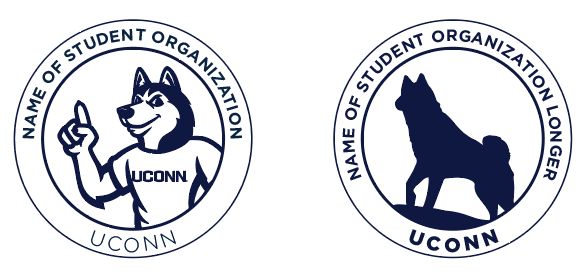
Club Sports Teams can find their wordmark files on the Club Sports Team Resources site:
- Club Sports Team Resources
- Under “Club Sports Logos”
Obtaining Approval & Permission for Use
RSOs must receive written approval from Brand Partnerships and Trademark Management before producing or distributing items with UConn trademarks.
Submit complete designs at least one week prior to use via:
Approval is not guaranteed until final confirmation.
Approved Vendors for Apparel & Promotional Items
All purchases with University/USG funding and/or including UConn trademarks must be made through licensed vendors:
- University/USG-funded orders
- John Michael Associates (JMA)
Lydia – lydiah@jmalogos.com, 860-666-1414 ext. 1115
- John Michael Associates (JMA)
- Personal or club funds
- Any vendor on UConn’s licensed and approved list.
- Club Sports uniforms
- BSN Sports
Kenzie – kcannon@bsnsports.com
- BSN Sports
University Departments
Only official University departments and areas may use UConn trademarks with their name, as this implies a connection to the University.
Restrictions for Use
University departments may not:
- Use the Husky Dog Logo (old or new).
- Create designs mimicking any husky dog.
- Design and use unofficial and unique logos for their departments, programs, or areas. The official UConn level three wordmark should be used.
- Use the University Seal unless for official formal occasions (e.g., diplomas and official or ceremonial documents out of the Office of the President, Payroll Department, Bursar’s Office, and the Office of the Registrar). Please request permission from brand@uconn.edu or licensing@uconn.edu.
- Combine UConn wordmarks, the Oak Leaf, or Husky Pride logos with designs.
- Use typefaces resembling UConn Extended font (per Brand Partnerships discretion).
- Produce designs that too closely resemble any UConn brand elements (per Brand Partnerships discretion).
Athletic Marks
University departments are prohibited from using any UConn Athletics trademarks (current or vintage). These remain exclusive to UConn Athletics and authorized retailers.
Co-Branding
You may not combine UConn names or trademarks with those of other entities, nor partner with outside businesses to represent UConn, without written approval from licensing@uconn.edu.
Requesting Official UConn Wordmarks for Your Department or Area
Departments or areas can request:
- A custom UConn level three wordmark.
- To request a wordmark, email brand@uconn.edu or anna.milot@uconn.edu. Do not create these marks independently.

Obtaining Approval & Permission for Use
All departments must receive approval from Brand Partnerships and Trademark Management before producing or distributing items featuring UConn trademarks.
- In most cases, licensed vendors will submit the design for approval on behalf of the department before production.
- However, if there are any questions concerning the design, please contact Brand Partnerships and Trademark Management directly at: anna.milot@uconn.edu and licensing@uconn.edu.
Approved Vendors for Apparel & Promotional Items
All purchases with university funding and/or including UConn trademarks must be made through licensed vendors:
- University-funded orders must use
- John Michael Associates (JMA)
Lydia – lydiah@jmalogos.com; 860-666-1414 ext. 1115
- John Michael Associates (JMA)
- Personal funds
- Any vendor on UConn’s Licensed & Approved List
- Fundraisers or Pop-Up Shops
- See ‘Fundraisers & Sales’ section below.
Staff Apparel
The primary UConn wordmark is the preferred brand element for official apparel worn by University employees, while the primary UConn Health wordmark should be used on apparel for UConn Health employees. This includes department t-shirts, polo shirts, uniforms, and similar items.
Please refer to the “Apparel Colors” section below to select approved apparel colors. Be sure to follow all requirements for wordmark color, minimum size, and safe space.
For review of apparel items using the wordmark, contact:
licensing@uconn.edu or brand@uconn.edu.
UConn Health Laboratory Coats
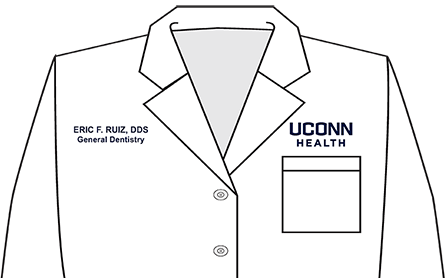
The UConn Health wordmark is the standard identifier on all laboratory coats. It must be placed above the left pocket. The UConn Health patch is optional and may be applied to the left sleeve.
Personalization Guidelines (Right Side of Coat):
- Line 1: NAME and DEGREE**
- Line 2: Specialty***
- Line 3 (Optional): Subspecialty or Department
Ordering and Costs
Lab coats must be purchased through UConn Health’s HuskyBuy system.
- $6.00 per coat for the optional patch
- $10.00 shipping for orders of 2 coats or fewer
- Free shipping for orders of 3 or more coats
Please reach out to encarnacion@uchc.edu with any questions.
**Limit of two degrees. Choose the degree(s) that offer the most clarity from a patient’s perspective.
***Only the titles Dean, Chair, and Chief are permitted on lab coats and must appear on Line 2.
Apparel Colors
When using the UConn wordmark on apparel:
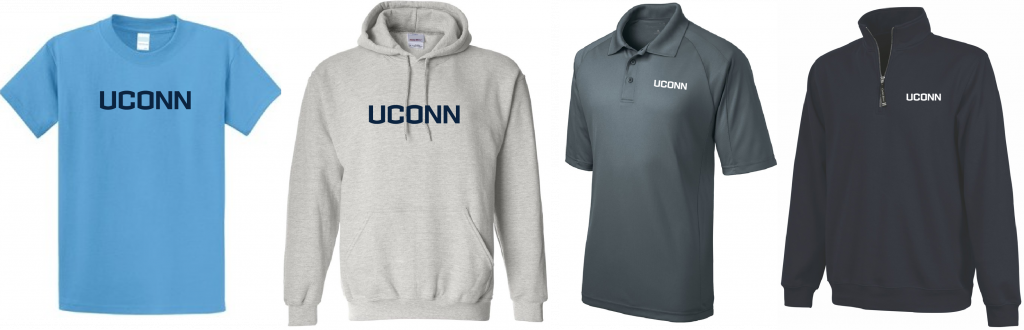
- T-shirts, long sleeve t-shirts, and hats: any color
- Sweatshirts, vests, jackets, shorts, and sweatpants: navy, gray, white, black, or tan
- Polos, quarter zips, and cardigans: navy, gray, white, black, tan, or light blue (as close as possible to #A4C8E1)
When not using the UConn wordmark and only using the UConn name in text or no UConn identifying characteristics, all colors are acceptable for apparel. However, using UConn’s color palette of navy, gray, and white is recommended.
Imprint Areas
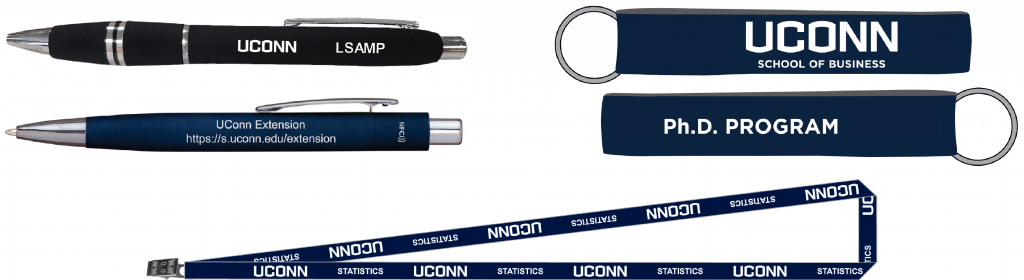
Some promotional items have too small of an imprint area (e.g., pens, lanyards, keychains, stress relievers, etc.) for the UConn level three wordmark to be legible. In these instances, please consider the following options:
- Use the UConn wordmark on its own.
- Use plain text to write out the name of your department or area.
- Arial and Gotham are good options, but not mandated.
- Reach out to anna.milot@uconn.edu for help with layout options other than the UConn tertiary wordmark.
Fundraisers & Sales
UConn Trademarked/Branded Goods
- University departments and RSOs may not purchase UConn-branded apparel or promotional items (e.g., apparel, bags, water bottles, etc.) to resell them or list them for sale on Marketplace.
- Shoppers and supporters must buy directly from pop-up shops or sales created through approved vendors (see below).
- These vendors will take care of orders, payment, and shipping.
School- and College-specific apparel cannot be sold in sales or fundraisers unless there is a specific department or program listed with the UConn School and College wordmark. School- and College-specific apparel may be purchased through the link found below (see “School- and College-Specific Apparel”).
Pop-Up Store Sales
The following companies are the only licensed and approved vendors who can run these pop-up sales:
- University departments and RSOs:
- BSN Sports: Kenzie Cannon, kcannon@bsnsports.com
View currently available items. - College Thread: Yasir, yasir@athletesthread.com, merchstores@collegethread.com, and colleen@athletesthread.com
View currently available items. - JMA: lydiah@jmalogos.com and uconn@jmalogos.com
- BSN Sports: Kenzie Cannon, kcannon@bsnsports.com
- RSOs ONLY
- Custom Ink: Erikka H., service@customink.com
Unique Department and RSO-Currated Items
Departments and RSOs may sell handcrafted or specialized goods (e.g., handmade blankets, department-authored books, and similar specialty products) featuring their own RSO logos or UConn trademarks on UConn’s Marketplace. All artwork including UConn trademarks requires approval from licensing@uconn.edu and anna.milot@uconn.edu.
Fundraising orders should be collected and confirmed before making any purchases to ensure accurate quantities and avoid unnecessary expenses or surplus items.
School- and College-Specific Apparel
If School- or College-specific apparel is being purchased using University, Undergraduate Student Government (USG), or club funds for the purpose of giveaways or distribution, the items must be ordered through an approved and licensed vendor. A list of these vendors can be found under the section “Approved Vendors for Apparel & Promotional Items.”
School- and College-specific apparel may not be sold for fundraising purposes or through independently organized sales. Instead, these items can be purchased through the official College Thread stores designated for each School or College.
Traditional Retail Merchandise
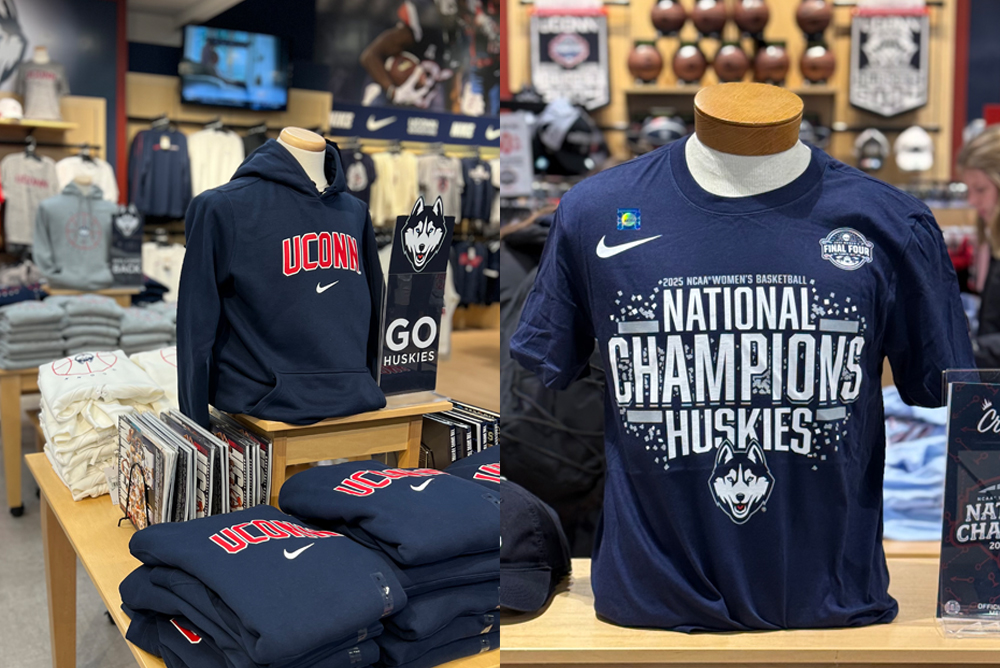
Any company interested in manufacturing or selling UConn-branded products through retail channels (including online) must be licensed through the Collegiate Licensing Company (CLC). This includes completing an application, meeting licensing requirements, and submitting all materials to CLC, who will coordinate with UConn’s Office of Brand Partnerships and Trademark Management.
UConn will review each request and decide whether to grant a license. Due to market saturation in some product categories, not all applications will be approved.
Basic licensing requirements include:
- Completed application
- Proof of product liability insurance (amount varies by product)
- Signed license and labor code agreements
- Payment of applicable fees
- Design and product approvals
- Royalty reporting on UConn merchandise sales
UConn may deny licenses for products associated with alcohol, tobacco, political candidates, trademark infringement, or anything considered low quality, unsafe, or poor taste.
Affiliated Organizations
(e.g., UConn Bookstore, UConn Foundation, UConn Alumni Relations)
Organizations affiliated with the University must follow these guidelines when producing UConn-branded merchandise:
- All products must be purchased from a licensed manufacturer. This ensures compliance with product liability insurance and the University’s labor code of conduct.
- UConn has over 225 licensed vendors nationwide, including many in-state. A list of approved licensees by product category is available from the Office of Brand Partnerships and Trademark Management.
- All product designs must be approved by the Office of Brand Partnerships and Trademark Management before production. Manufacturers typically submit designs on behalf of the University or organization, but representatives may contact the office directly with questions by emailing licensing@uconn.edu.
- Royalties apply to all products sold to members of the public, regardless of the purpose of the sale.
Non-UConn Organizations
Use of UConn trademarks by non-affiliated organizations is reviewed on a case-by-case basis by contacting the Office of Brand Partnerships and Trademark Management by emailing licensing@uconn.edu. The following guidelines apply:
- Supportive groups (e.g., alumni or booster clubs) that wish to use University trademarks on products for members or resale must purchase those products from a licensed University vendor. This ensures brand consistency, product quality, and compliance with insurance and contractual standards. The licensed vendor is responsible for submitting designs for approval to the Office of Brand Partnerships and Trademark Management and for remitting royalties based on the wholesale price.
- Permanent installations (e.g., statues, murals) featuring UConn trademarks require written permission from the Office of Brand Partnerships and Trademark Management.
- Temporary displays (e.g., window paintings, removable marquee lettering) supporting UConn events are permitted without prior approval.
- Advertising use (e.g., print, web, banners) requires written permission.
- UConn trademarks may not be used in connection with political candidates or legislative issues without written approval.
- Individuals or organizations may not use UConn trademarks on websites without written permission.
- UConn trademarks are not typically approved for use by not-for-profit organizations.
- Businesses may not produce merchandise for resale or giveaway using UConn trademarks without written permission.
- UConn trademarks may not be used to promote commercial products or services in media without written approval.
- Licensees and retailers may include their name on products, but it must not exceed 2¼” x 2¼” in size, in line with NCAA branding rules.
- Rights fees and royalties may be assessed for all uses of UConn trademarks.